
ConfigBuilder
Automated configuration made easy
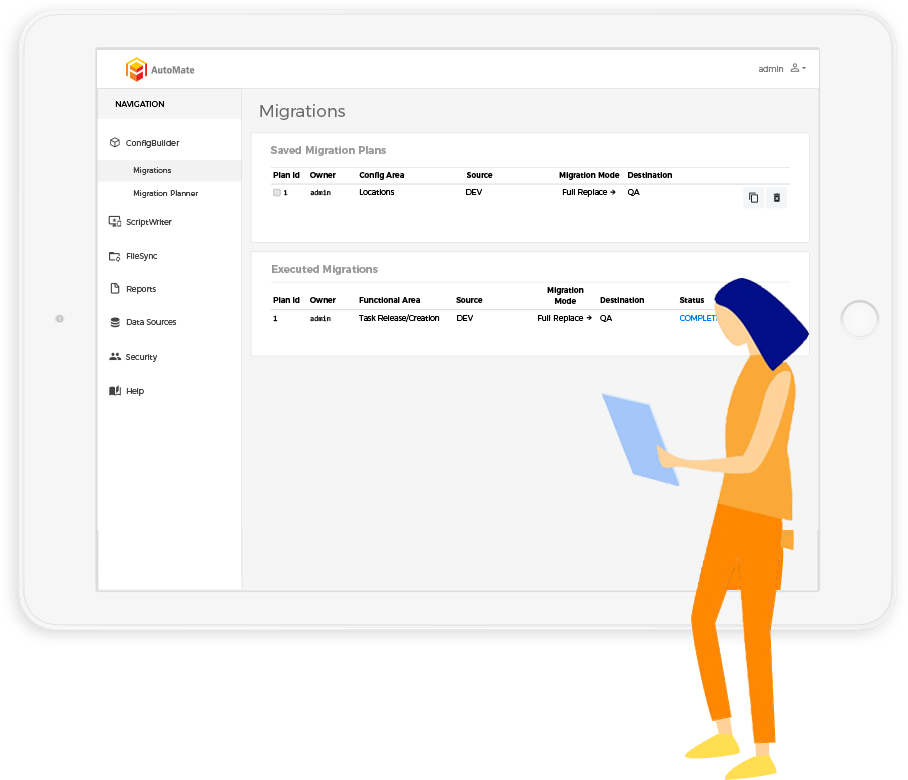
Migrate complex configurations across multiple environments with a simple click.

Setup, test, and validate configuration changes only once.
Streamline the management and migration of changes across your entire distribution network.
Ensure your environments are in sync.
50%
Reduction in configuration errors
1/10th
of typical configuration time required
40%
Faster implementation of new functionality
50%
Reduction in configuration errors
1/10th
of typical configuration time required
40%
Faster implementation of new functionality
How ConfigBuilder Works


-
Choose configuration area
Simply choose the precise configuration area you want to migrate, whether that is receiving, putaway, waving, picking, packing, or inventory this powerful tool allows you to set up in one environment then configure it in another with ease.
-
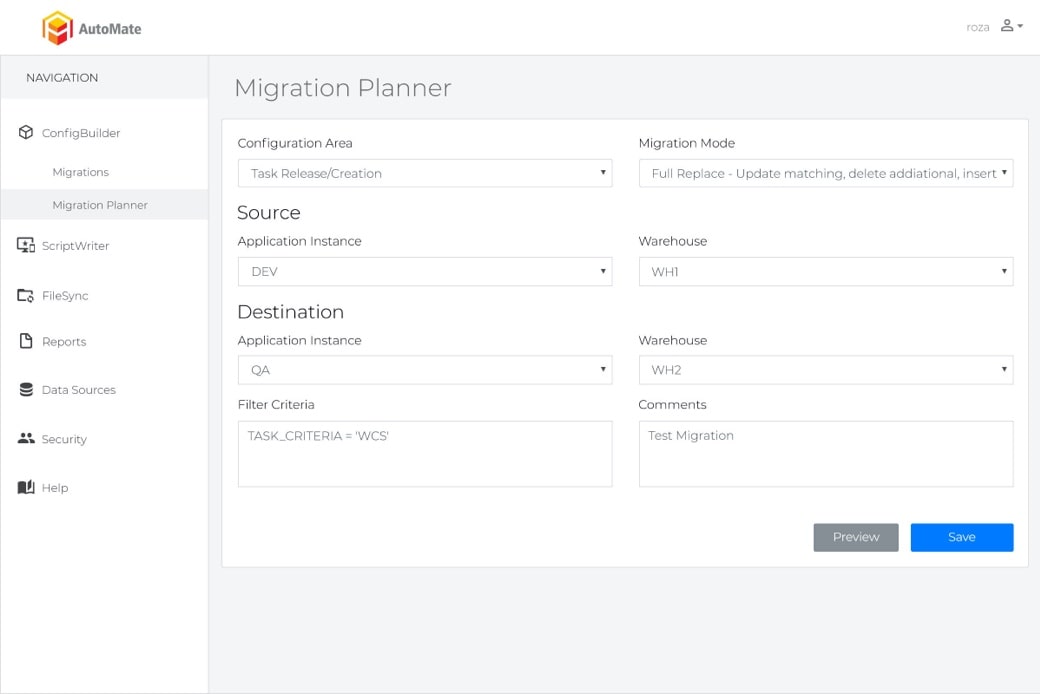
Choose source and destination parameters
Choose the data source you want to copy the configuration from and the destination source you want to migrate the configuration to.
-
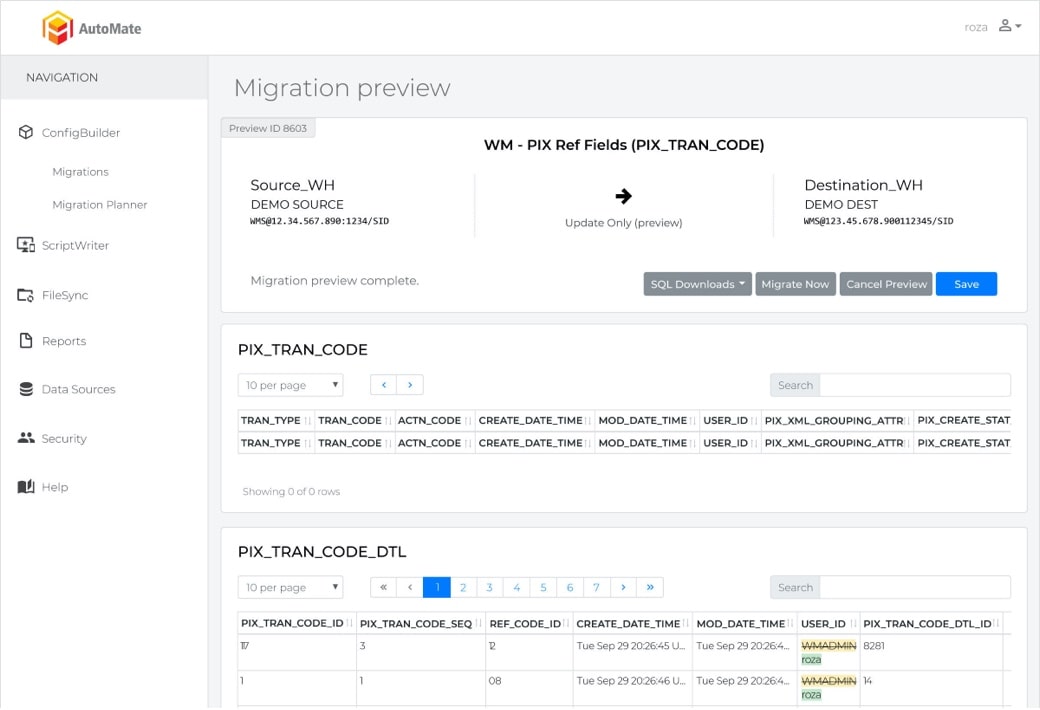
Preview migration
It's time to preview your migration.
ConfigBuilder ensures the results will be as expected with visibility of every table associated with the configuration area.
-
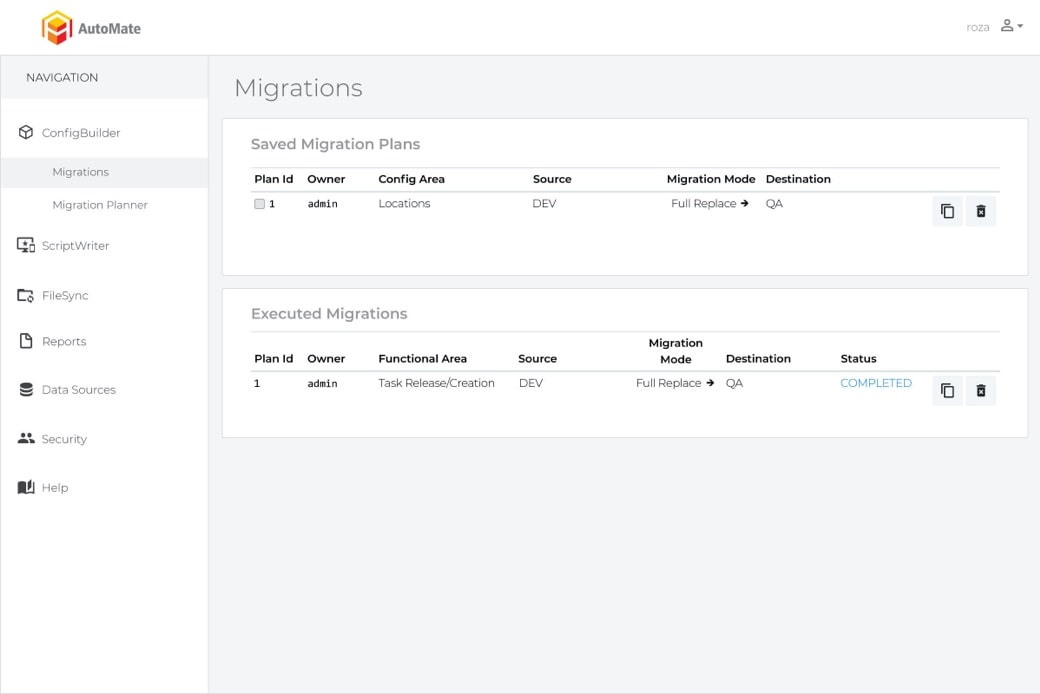
Execute migration
What typically takes hours to accomplish manually is now done in seconds. With the click of a button, execute or schedule your migration and let ConfigBuilder do the work.

Automate your process
No need to spend another second identifying each table, relationship, and condition yourself. ConfigBuilder will do the work for you.
Keep your development, test and production environments in sync
By using common tools, ConfigBuilder keeps your environments in sync, so that all security fixes will work, and your production system stays running.


Promote new configuration quickly and accurately
Accomplish what has typically taken hours manually in seconds — all without the risk of human error.
What is ConfigBuilder?
ConfigBuilder is Veridian's automated configuration tool for Manhattan Associates WMS and OMS. It migrates complex configuration from one environment to another with a simple click, so you set up, test and validate a configuration change only once and then promote it to every other environment in your distribution network. ConfigBuilder is one of the three products in Veridian's AutoMate suite, alongside ScriptWriter and FileSync.
What problem does it remove?
Configuration in a Manhattan Associates system lives in many related tables, with relationships and conditions between them. Moving a change from development to test to production by hand means identifying every table, relationship and condition, keying the same values again in each environment and hoping nothing was missed. It takes hours, it is error-prone, and over time development, test and production drift apart, so a fix that worked in test behaves differently in production. ConfigBuilder does the identification and the migration for you, in seconds, without the risk of human error.
How does ConfigBuilder work?
- Choose the configuration area. Pick the precise area you want to migrate, such as receiving, putaway, waving, picking, packing or inventory.
- Choose source and destination. Select the environment to copy the configuration from and the environment to migrate it to.
- Preview the migration. ConfigBuilder shows every table associated with the configuration area so you can confirm the result will be what you expect.
- Execute or schedule. Run the migration with the click of a button, or schedule it for a maintenance window, and let ConfigBuilder do the work.
Which Manhattan Associates products does it support?
ConfigBuilder supports Manhattan Associates WMS and OMS. Because it understands the configuration model of those products, it can migrate a complete, consistent configuration area rather than a partial export.
Before and after
| Task | Manual approach | With ConfigBuilder |
|---|---|---|
| Promote a new picking rule to production | Find every related table, re-key values in each environment, verify by hand. | Set it up once, preview, click, done in seconds. |
| Keep development, test and production in sync | Periodic manual comparisons; drift discovered when something breaks. | Common tooling keeps environments in sync so fixes and security patches behave the same everywhere. |
| Roll out a configuration to a second facility | Repeat the whole build. | Migrate the validated configuration area to the new environment. |
| Audit what changed | Reconstruct from memory and tickets. | A preview and record of every table touched. |
The results reported on this page from Veridian's own use of ConfigBuilder are a 50% reduction in configuration errors, roughly one tenth of the typical configuration time, and 40% faster implementation of new functionality.
Who uses ConfigBuilder?
Implementation teams use it to build once and promote everywhere during a project. Support and optimization teams use it to make ongoing changes safely. IT teams use it to keep environments aligned so security fixes and patches work in production the way they did in test. Veridian uses ConfigBuilder on every implementation, optimization and support engagement, and licenses it to clients who want the same capability in-house.
How do I see it?
Request a demo and we will show ConfigBuilder migrating a configuration area between environments, or call (770) 225-1750.
Frequently asked questions
What does ConfigBuilder do?
ConfigBuilder migrates configuration for Manhattan Associates WMS and OMS between environments, such as development, test and production, so a change is set up and validated once and then promoted with a click.
Which systems does ConfigBuilder support?
Manhattan Associates warehouse management and order management systems.
Can I preview a migration before it runs?
Yes. ConfigBuilder shows every table associated with the selected configuration area before you execute, and migrations can be run immediately or scheduled.
Does ConfigBuilder keep environments in sync?
Yes. Using ConfigBuilder as the common tool for promoting configuration keeps development, test and production aligned, so fixes and security patches behave consistently in production.
What results have been reported?
The figures shown on this page are a 50% reduction in configuration errors, about one tenth of the typical configuration time, and 40% faster implementation of new functionality.
Is ConfigBuilder available on its own or only with Veridian services?
Both. Veridian uses it on its engagements and licenses it to clients for their own use. Request a demo to discuss licensing.
See our automation tools for yourself
Ensuring a successful implementation has never been easier with the help of Veridian’s modern approach to supply chain technology, expert staff, and automation tools.

See our automation tools for yourself
Ensuring a successful implementation has never been easier with the help of Veridian’s modern approach to supply chain technology, expert staff, and automation tools.